
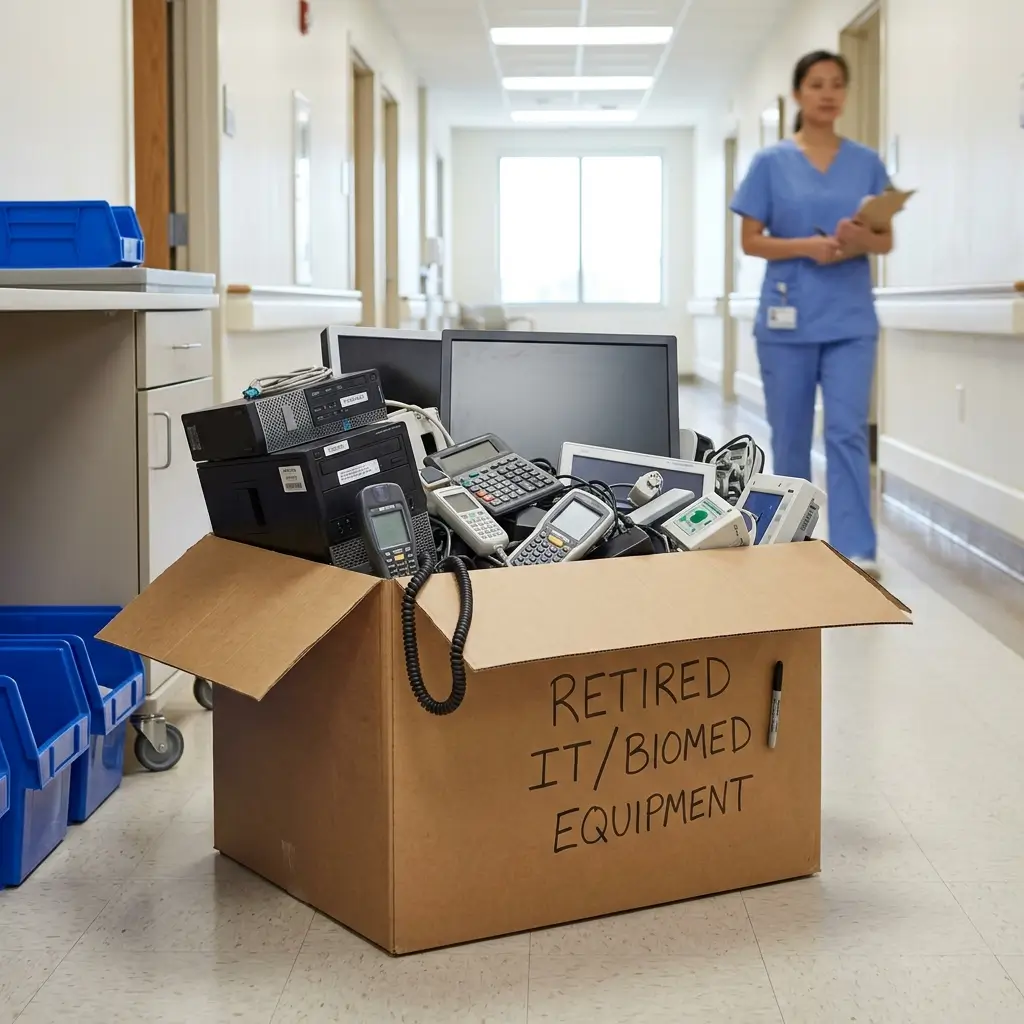
Healthcare organizations handle some of the most sensitive data in the world from patient records and insurance information to billing details and medical histories. When outdated IT assets, hard drives, laptops, servers, or mobile devices are retired, organizations must ensure that all protected health information (PHI) is permanently destroyed.
In this guide, we break down how HIPAA compliant data destruction helps healthcare providers, hospitals, clinics, insurance companies, and medical organizations securely dispose of electronic data while maintaining compliance with federal privacy and security regulations.
What is HIPAA compliant data destruction?
HIPAA compliant data destruction refers to the secure and permanent destruction of protected health information (PHI) stored on electronic devices and physical records in accordance with the Health Insurance Portability and Accountability Act (HIPAA).
HIPAA requires healthcare organizations to protect patient information throughout its entire lifecycle, including during disposal. Simply deleting files or formatting a hard drive is not enough to meet HIPAA requirements.
Healthcare organizations must ensure that PHI cannot be reconstructed, recovered, or accessed after disposal.
Download our HIPAA-compliant data destruction checklist
Make sure your IT asset disposal process properly addresses electronic protected health information (ePHI). Download our HIPAA-compliant data destruction checklist for a practical checklist covering data sanitization, vendor management, documentation, and commonly overlooked devices.
Why HIPAA compliant data destruction matters
Improper disposal of healthcare data can result in:
- HIPAA violations
- Data breaches
- Regulatory fines
- Legal liability
- Loss of patient trust
- Reputational damage
If these assets are not securely destroyed, sensitive patient data may still remain accessible.
Learn more: IT Asset Lifecycle Management Best Practices: A Guide for Businesses and Organizations
Common HIPAA data destruction mistakes
Common mistakes that healthcare organizations make include:
- Throwing away old hard drives
- Recycling devices without sanitization
- Using uncertified vendors
- Failing to document destruction activities
- Assuming deleted files are permanently erased
- Overlooking data stored on backup devices or printers
Learn more: Old IT Equipment Disposal: 5 Common Mistakes to Avoid When Handling Retired IT Equipment
Methods of HIPAA compliant data destruction
Here are several secure destruction methods that can help organizations maintain HIPAA compliance:
Hard drive shredding
Hard drive shredding physically destroys the storage media into small fragments, making data unrecoverable. This is one of the most secure methods of HIPAA data destruction for retired IT assets. Learn more about hard drive shredding.
Hard drive erasure
Certified hard drive erasure can securely overwrite existing data multiple times while maintaining a verifiable audit trail. This method may allow organizations to reuse or resell devices after sanitization. Learn more about hard drive erasure.
Certified e-waste recycling
After data destruction is completed, retired electronics should be processed through certified e-waste recycling programs. Certified recycling providers help healthcare organizations properly dispose of outdated electronics while supporting environmental compliance and reducing landfill waste. Learn more about e-waste recycling.
Asset value recovery
Some retired IT assets may still retain market value after secure data destruction. Asset value recovery programs allow healthcare organizations to recover residual value from reusable devices through resale, refurbishment, or remarketing processes. Learn more about IT asset value recovery.
IT asset refurbishment & redeployment
IT asset refurbishment involves securely sanitizing, repairing, and restoring devices for continued use. Refurbishment can help healthcare organizations extend the lifecycle of existing equipment while maintaining HIPAA data security standards.
Redeployment allows organizations to securely reuse sanitized IT equipment internally across departments or facilities. Proper data wiping and asset tracking procedures help ensure devices can be safely reassigned without exposing sensitive healthcare information. Learn more about IT asset refurbishment and redeployment.
Learn more:
Why E-Waste Recycling is Important
Environmental Consequences of Improper Disposal of E-Waste Are Actually Avoidable
Download our HIPAA-compliant data destruction checklist
Make sure your IT asset disposal process properly addresses electronic protected health information (ePHI). Download our HIPAA-compliant data destruction checklist for a practical checklist covering data sanitization, vendor management, documentation, and commonly overlooked devices.
HIPAA compliant data destruction best practices
- Maintain a documented disposal policy
Healthcare organizations should establish a data destruction policy for retiring and disposing of devices that contain protected health information.
Your policy should outline:
- Approved destruction methods
- Chain of custody procedures
- Employee responsibilities
- Vendor requirements
- Documentation standards
Learn more: How to Build a Data Destruction Policy That Protects Your Organization
- Use certified data destruction providers
Working with a certified IT asset disposition (ITAD) and data destruction provider helps organizations maintain compliance and reduce risk.
Look for vendors with certifications such as:
- R2v3 Certification
- ISO 9001
- ISO 14001
Certified providers follow strict security controls and documented destruction processes. See all of our certifications.
Learn more: What is R2 Certification? Everything Businesses Need to Know About R2 Recycling
- Request certificates of destruction
A certificate of destruction provides documented proof that data-bearing devices were securely destroyed. These records can help support compliance audits and internal documentation requirements.
Certificates should include:
- Asset details
- Serial numbers
- Date of destruction
- Destruction method
- Chain of custody information
Your ITAD provider should provide asset tracking, documentation, and audits for every asset you dispose of. Learn more about our client portal.
- Secure the chain of custody
Devices containing PHI should remain protected throughout transportation, storage, and destruction. Secure chain of custody procedures help prevent unauthorized access before destruction occurs.
Download our HIPAA-compliant data destruction checklist
Is your organization following the right process for securely disposing of IT equipment containing ePHI?
Download our HIPAA-compliant data destruction checklist for a practical guide to reviewing your organization’s HIPAA data destruction and IT asset disposition process.
Partner with Keystone, your R2 certified ITAD provider
HIPAA compliant data destruction is a critical part of protecting patient information and maintaining regulatory compliance. As healthcare organizations continue to upgrade technology and manage growing volumes of electronic data, secure HIPAA data destruction practices have become increasingly important.
Whether disposing of hard drives, servers, laptops, or backup media, healthcare organizations should implement documented HIPAA data destruction procedures and work with certified ITAD providers to reduce risk and protect sensitive healthcare information.
Contact Keystone Technology Management today to get started on secure, HIPAA compliant data destruction for your organization.
Learn more:
What Are the Most Common Causes of Data Breaches?
What is R2 Certification? Everything Businesses Need to Know About R2 Recycling
Explore more:
IT disposal & data destruction for hospitals & healthcare
Secure data destruction services
E-waste recycling for responsible IT asset disposal
IT refurbishment & redeployment service